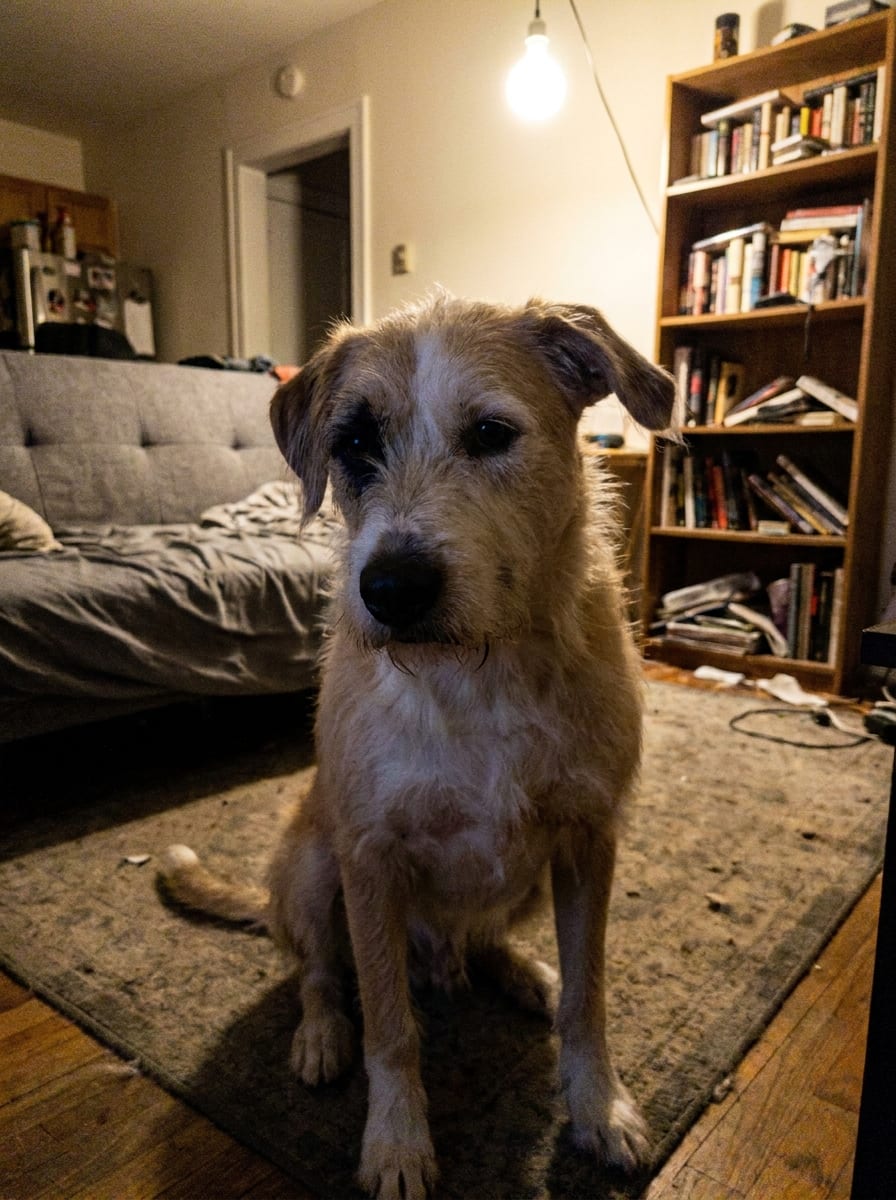
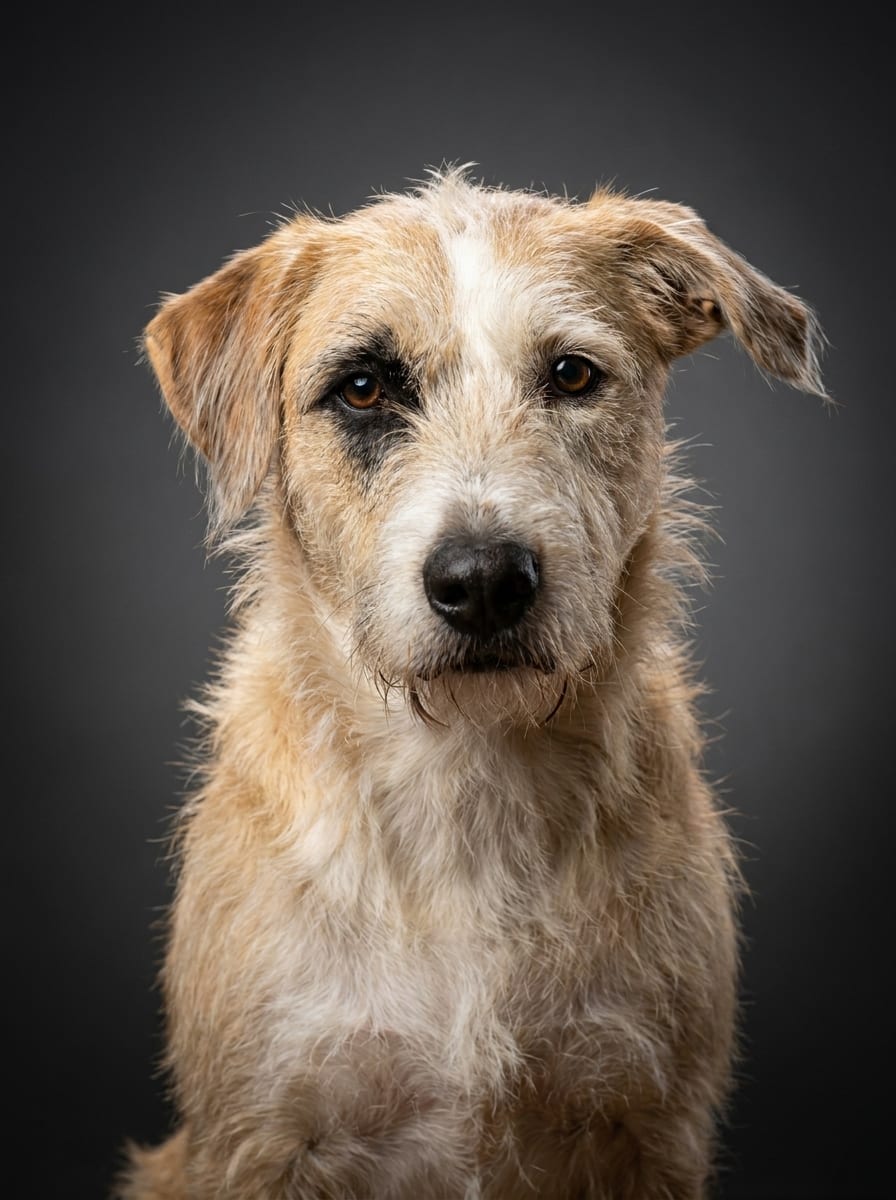
Almost every unusable pet photo fails for the same four reasons: the light is above the animal, the camera is above the animal, the phone is too close, and the shutter was too slow. Fix those in order and the hit rate goes from one in fifty to about one in five.
1. Light: beside a window, never under a bulb
A ceiling bulb is directly overhead. It drops shadow into the eye sockets, flattens the muzzle and leaves no catchlight, which is why indoor pet photos look lifeless even when the animal is adorable. A window is a large, soft, sideways light source — the single closest free approximation of a studio softbox.
Put the animal about a meter from a window, with the window to one side, and stand so the light crosses the face. Not behind them: shooting into a window turns a dog into a silhouette. Not behind you either, if you can help it — dead-on light is flat.
Overcast days are better than sunny ones. Direct sun makes hard shadows and blown-out white patches, and it makes most animals squint.
- Turn the flash off. On-camera flash gives green or red eyeshine, and it flattens fur.
- Turn ceiling lights off if there is enough daylight. Mixing daylight and warm bulbs gives an odd color cast.
- Outdoors, use open shade — a porch, the shadow side of a building — around an hour before sunset.
2. Angle: get down to their eye level
Standing over a dog and shooting down produces an enormous forehead, a shrunken muzzle and a photo that looks like a security camera. Kneel, sit, or put the phone on the floor. Eye level is the whole trick, and it is the one change that most reliably makes a phone photo look intentional.
Slightly off-center beats dead straight on. A three-quarter angle — the animal turned maybe 20 or 30 degrees away, eyes coming back to the lens — gives the head shape and depth. Full profile works for long-nosed breeds; the back of a head works for nobody.
For flat-faced dogs (bulldogs, pugs, boxers) and for cats, eye level matters even more, because from above their faces collapse into eyes and nostrils.
3. Distance: step back, then zoom with your feet
Phone wide-angle lenses distort at close range: a nose 15 cm from the lens comes out enormous relative to the ears. It is a real optical effect, not a matter of taste, and it is why close-up phone photos of dogs look like caricatures.
Stand one and a half to two meters back and use the 2× or 3× lens if your phone has one. That compresses the face into normal proportions. If your phone only has one lens, back up and crop afterward — you will lose some resolution, but not the shape of the head.
Fill roughly the middle third of the frame with the head and chest. A full-body photo taken from across a room leaves too few pixels on the face, and the face is the only part that a portrait actually needs.
4. Sharpness: burst mode, and more light
Blur is the one defect that cannot be corrected later. In dim light a phone lowers the shutter speed, and an animal that moves its head 5 cm during the exposure produces smeared whiskers. More light means a faster shutter, which is another reason the window matters.
- Hold the shutter for a burst and pick from twenty frames instead of hoping for one.
- Tap the face to focus before shooting. Phones love focusing on the couch.
- Skip portrait mode for anything hairy. Simulated background blur cuts through fur and ear edges badly.
Getting them to look
Sound works once, then stops working — which is fine, because you only need one frame. Have someone stand behind you with a treat or a squeaky toy, make the sound, and shoot immediately in burst. Do not do it five times in a row: after the third the animal stops caring and the ears go flat.
For cats, hold a treat above the phone, not in your other hand at your side; they follow the food and their eyes end up near the lens. For dogs, a name said once with a rising tone gets ears up for roughly one second.
What does not matter at all
If your photo is going to become a studio portrait, several things you might worry about are irrelevant:
- The background. The laundry, the television, the kitchen floor — all replaced.
- The color cast from a warm bulb, within reason.
- The pose of the body. The crop is rebuilt around the head and chest.
- Whether the animal is groomed. A portrait of a scruffy dog is a portrait of your dog.
What does matter is exactly three things: eyes open, face visible, not blurred. Everything in this guide exists to serve those three.